
3 Tools for Outlining, Writing, Organizing, and Formatting Your Novel - NO AI
The Software I Use and Recommend to My Students. No AI. Just you, your words, and your story

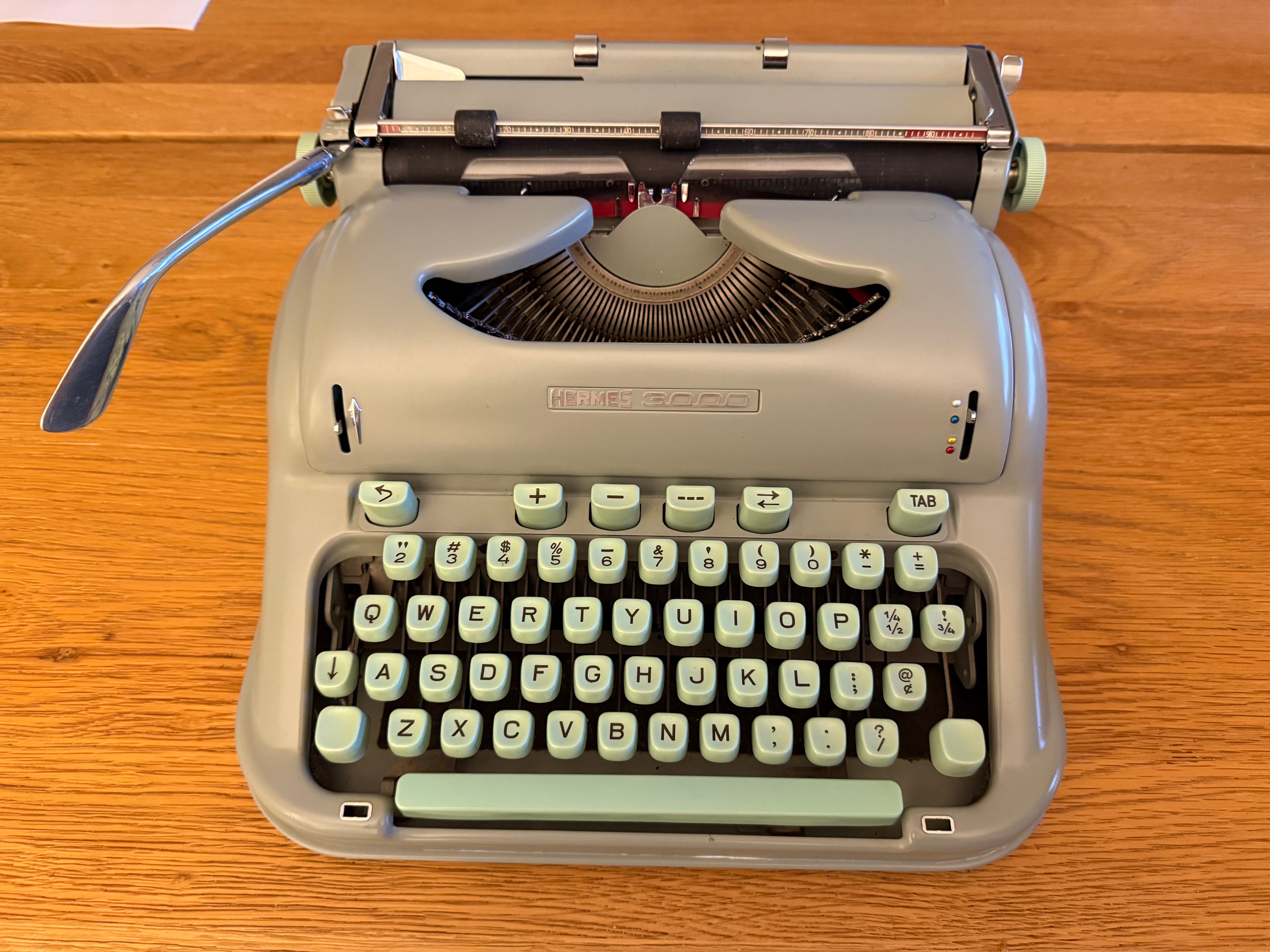
Writing by hand is romantic, and typing on an Olivetti Lettera 32 or Hermes 3000 is more romantic still. But when it comes to writing, romance will only take you so far. Here are my three favorite writing and publishing tools for novelists. I’ve intentionally kept the list small to share only the tools I’ve personally used and recommended to my students.
The book software included in this post does not use AI.
The Best Software for Outlining Your Novel (and learning about story structure): Plottr
operating systems: Mac and Windows
The sole function of Plottr is to help you outline your book, a function it performs incredibly well.
Plottr has a simple visual interface, allowing you to move color-coded blocks along a timeline. You can tag characters, themes, settings, and more, making it easy to keep track of which characters and settings are getting page time, as well as character arcs. I especially love it for tracking subplots.
Plottr looks kind of old-school, a product of a different, simpler time—in the best way.
It includes built-in templates for a number of different structures, including the 24-chapter plot outline, the 12-step mystery formula, the eight sequence formula, and more.
Because of the templates with clear explanations and craft tips, I consider Plottr as much an educational tool as an outlining tool. If you’re writing your first novel, or if you are an experienced novelist experimenting with a new genre, Plottr is worth the price of admission for the templates alone.
I’ve never used any kind of outline to write a novel. However, I’ve reverse outlined my last two novels with Plottr to get a clear visual picture of my story’s structure. And right now I’m enjoying Plottr in the drafting phase, because I want to see if the 24-chapter plot outline can help me organize my thoughts for a new novel.
I purchased Plottr personally.
This is one I recommend to my students for its ease-of-use, built-in structure templates, and its clear promise to never use AI.
Price: starts at $60 per year or $150 for a lifetime membership (I purchased the basic version. Plottr pro is available for $99 per year).
The Best Low-Cost, All-Around Software for Organizing, Writing, and Formatting a Novel (New for Summer 2026): Deckle
operating systems: Mac, Windows, and Linux
The newcomer to the game is Deckle, built specifically for novelists. If you want to streamline your process, the newly released Deckle is definitely worth checking out. I just started using Deckle, and I’m impressed.
Deckle combines the organizing capabilities of Scrivener with the robust publishing tools of Vellum, and the price is hard to beat.
You can write scenes and chapters within Deckle, move them around, import and organize research files, track word count as you write, and search within your text.
Deckle includes templates for character sheets and location profiles, which you can view in a split screen beside your chapter, or in a separate, dedicated view.
It features four different ways to view your outline and manuscript, with varying levels of detail. You can write notes on a chapter or scene and search within your notes.
As for formatting, Deckle offers more than two dozen preset styles. It also offers more customization within styles than Vellum. It also has specialized blocks for epigraphs, verse, and other elements.
Your formatted book can then be exported easily to for ebook, print, or Word. The print export is KDP-ready and can also be used for Ingram Spark. The epub files are optimized for Kindle, Apple Books, Kobo, and generic epub.
The question to ask before buying Deckle is what you’ve already purchased that you use regularly. If you already own Scrivener and Vellum, enjoy using them, and like to keep the organizing, writing, and formatting phase of your process separate, it may not make sense to switch over.
However, I know a lot of people who gave up on Scrivener because of the steep learning curve; if that’s you, Deckle offers a Scrivener-esque experience when you want it, combined with a way to easily design and format beautiful ebooks and print books.
Deckle also allows a complete, one-step import of your project from Scrivener. It has a lot of other features too lengthy to go into here.
I’m currently working on a personal project on Deckle—creating an exclusive bonus book for my most loyal readers. I love the Scrivener-like organizational tools of Deckle, the variety of styles, the high level of customization for everything from drop caps to ornament glyph, and the simplicity of adding photos and images to a chapter.
Deckle isn’t a subscription model. Once you buy it, you own it and all future updates. Deckle is also a great value, just $107 through August 8 (a one-time purchase, no subscription required).
If you’re looking for a great value and an all-in-one interface for organizing and formatting books at a low price point, I highly recommend Deckle.
I received free access to Deckle to explore the software.
Price: $107 for early access (through August 8), $197 later
The Original Simple Software for Formatting Print and Ebooks: Vellum
operating systems: Mac only
When I first started publishing books through my micro press, Fiction Attic Press, the process of formatting involved complicated html and laborious conversion from Word to epub. Fortunately, the time-intensive process is a relic of the past. Before Vellum, I used other programs, including the now-defunct Atavist. Back in the day, I even used the clunky, glitchy KDP interface.
Vellum is the simplest, most intuitive book formatting software available. I use it for every book I publish through Fiction Attic Press. Like Plottr, Vellum does only one thing and it does it well.
To create a book with Vellum, you can import a Word file, copy-and-paste text from any word processor, or type directly into Vellum. By clicking the “styles” button, you can see how the book looks in several different templates. Vellum automatically generates a table of contents, and you can download your file for ePub, mobi (Kindle), print (PDF), or Word. This software has saved me hundreds of hours, and it always creates a beautiful book.
Because I get easily distracted by visual clutter, I love the visual simplicity of Vellum. It looks clean and minimalist on the page and allows you to easily flip through various styles to see how your book will look for your readers. The search functions are not as robust, however, as they are in Deckle (see below).
I purchased Vellum personally.
Vellum is available only for Mac, not Windows.
Price: $199 for ebook version, $249 for ebook + print version
…and the best notebook for your analog life
I still write by hand sometimes. Once I’m deep into a novel, I do everything on my laptop, but in the early stages I often take notes and write fragments by hand.
For the joyous, inspired phase of this-isn’t-a-novel-yet writing, I still use Moleskine notebooks, along with an indigo LePen pen (felt tip, fine line, saturated color, slim in the hand but not too lightweight). I’ve been using Moleskine notebooks for decades. Yes, that’s how old I am, and that’s how much I love them. They’re beautiful, the smooth pages are a joy to write on, they come in gorgeous colors, and they line up nicely on a shelf.
I’ve purchased dozens of Moleskine notebooks for myself and for gifts. I love them. I lose them. I travel with them and keep them by my bedside. I rediscover them and start writing in them again, years and even decades after the first entry.
The Best Software for Novelists - Quick Roundup and Recommendations Based on Your Goals
What software should you buy if your primary goal is learning to write a novel or if you want to write in a new genre?
If you’re new to novel writing, or you’re trying a new genre, Plottr is excellent. You’ll learn so much about structure just by reviewing the Plottr templates, and you can apply any of the templates to your novel. It can’t take the place of a class, but it can give you a lot of guidance starting out.
What software should you buy if you want to do everything in one place?
If you only want to purchase one piece of software, and you want it to grow with your novel as you write, revise, and prepare for publication, choose Deckle. It has so many features, and at $107 for early access, you can’t find a better deal.
What software should you buy if you have a complete manuscript and just want to format it for publication?
If you’re a Mac user with a completed manuscript, and you want a clear, easy way to quickly format your print or ebook for publication, and you don’t care for Scrivener-level outlining and organization, choose Vellum. This may sound counterintuitive, as it’s slightly more expensive than Deckle and does way less, but it’s incredibly quick with zero learning curve. I’ve been using it for so long, I’m a believer.
My workflow recommendation for novelists:
Start with a notebook—a Moleskine or whatever your favorite notebook is—to jot down ideas in their early stages, first sentences, quotes, anything that comes to you on the fly and you don’t want to lose within the labyrinth of your laptop.
Use Plottr to outline your plot and subplot. You can keep this as simple or as complex as you like. If you’re a beginning novelist, or if you’re an experienced novelist working in a new genre, use Plottr to explore different structure templates for your novel. Or, if you like to truly fly by the seat of your pants in the early stages of a draft, use Plottr later for a reverse outline.
Use Word in Focus mode to draft chapters, if that’s the format you’re most comfortable writing in. If you’re not a longtime Word user, skip to #4.
Then use Deckle to write, move chapters around, organize your research and photos, keep track of notes, and format your book for publication.
OR: if you prefer a minimalist screen experience, and you’re strictly Mac, do steps one and two, then copy and paste the text into Vellum in order to format for publication.
Thank you for reading The Caffeinated Writer! I hope you found this post helpful.
This post includes affiliate links, so when you purchase through my recommendation, you are supporting The Caffeinated Writer. I’ve personally purchased three of the four tools listed here and have used all of them.
As always, happy writing!
~Michelle